
Free, Premium or Custom Shopify Theme: What Your Store Needs in 2026
BLOG
What each kind of Shopify theme costs an NZ store in 2026, what it lets you change, and how to tell which one your store needs.
Free theme from Shopify
Premium theme, paid once
Our custom store builds
Free and premium themes are priced for the theme alone. Our price is a full store build, designed for your brand.
For a new store with a standard catalogue and checkout, the best Shopify theme to start with is usually a free one. Shopify’s free themes cost nothing, and Shopify keeps them up to date. A premium Shopify theme costs about $170 to $850, paid once, and earns its price when its design or built-in features fit the store better than a free theme. A custom design suits an ecommerce store that sells in a way no theme handles well, and ours start from $15,000 as a full ecommerce build.
Shopify themes are pre-designed templates for the whole online store: the home page, collections (product categories), the product page and the cart. The theme for your Shopify store sets how it looks and which features come built in, so choosing one is a website design decision.
FIGURES IN NEW ZEALAND DOLLARSShopify prices its themes in US dollars. The theme figures here come from the official Shopify theme store in October 2026, converted at about $1.70 to the US dollar, before GST.
Shopify Themes for 2026: Who Builds and Updates Each Kind
Each kind decides who builds the Shopify theme, who updates it and how far it can change.
Free Themes
The theme store lists 24 free Shopify themes in 2026, all built by Shopify. Free themes like Horizon suit a quick, clean setup, and Dawn keeps the layout minimal so product photos lead.
In the theme editor inside the Shopify admin, you change colours, fonts and images, and add, remove or rearrange sections. Each Shopify theme is designed with its own templates and sections, so some offer more layouts than others.
Premium Themes
Independent developers make the 1,302 premium themes on the Shopify theme store, each sold for a one-off price. Many are made for one kind of store, such as a large catalogue or a single hero product.
A premium theme for Shopify is licensed to the one store that bought it. The theme comes with support and updates from its developer.
A Custom Theme
A custom Shopify theme is built for your store alone, from page designs drawn around your brand and the way you sell.
Its updates and fixes come from whoever looks after the code.
Free vs Premium Shopify Theme:
Is Paying Worth It?
Premium Shopify themes typically cost about $170 to $850, paid once, and Shopify merchants can try different themes in their own store on a free trial first. Buy from the official theme store, since a paid Shopify theme copied from elsewhere is unlicensed and gets no updates.
When a Free Shopify Theme Is Enough
- A first store. Starting on a free theme shows what your range needs, and you can switch themes later without losing products.
- A standard catalogue. Products in sizes and colours, sorted into collections, suit the templates free themes offer.
- A standard checkout. The Shopify platform runs the checkout itself, so it works the same on a free theme as on a paid one.
- A brand that suits clean layouts. Good product photos and a clear logo carry the look, and a free theme keeps out of their way.
When Premium or Custom Work Pays Off
- Layouts that suit your range. A premium theme earns its price when its product page layouts fit better, and some replace an app on the monthly Shopify bill.
- Personalised products. Shopify handles sizes, colours and their prices. Engraving or made-to-order work may need an app or custom work.
- A trade process of your own. Shopify handles trade accounts, and the free Trade theme suits wholesale. Custom work suits ordering rules of your own.
- A brand that has to stand out. A popular free theme can resemble the shops beside you. Custom store design gives it a look of its own.
A Theme-Based Store and a Custom Ecommerce Store Are Two Different Beasts
Building the store costs far more than any theme bought for it.
- A theme-based store: from around $5,000. A developer sets up the theme’s templates in your colours, fonts and photos, with features from the theme and apps. It can launch within a few weeks, and the figure is a market price from what a website costs.
- A custom-designed store: from $15,000. Pages are drawn for your brand and the build is fitted to how you sell, with custom code kept up by your developer. Our ecommerce builds take 10 to 16 weeks and are quoted as a fixed price.
The same line runs through small business websites: a customised template spends the budget on setup, and a custom build spends it on design and engineering.
Get Help Choosing
the Right Shopify Theme
Before you choose a Shopify theme, tell us what you sell and how. We will tell you whether a free theme, a premium one or a custom design suits your store, and what the build would cost.
Book a Free Discovery SessionShopify Apps:
Features That Sit Outside Any Theme
Some features come from a Shopify app whichever theme the online store runs. Some apps are free, and others charge monthly or per order.
Product Reviews
A reviews app collects customer reviews and shows them on each product page, on free and premium themes alike.
Some review apps are priced by order count, so the fee rises as the store sells more.
Shipping and Courier Labels
A courier app prints labels and, with a compatible Shopify plan, can show NZ Post and courier delivery prices at checkout.
Plans are often set by order volume, so a busy month can cost more.
Accounting
An accounting app can send each sale to Xero or MYOB, so the books match the store without anyone typing orders in.
Check its fee before launch, since you pay it for as long as you use it.
Theme Speed:
What Slows a Store Down
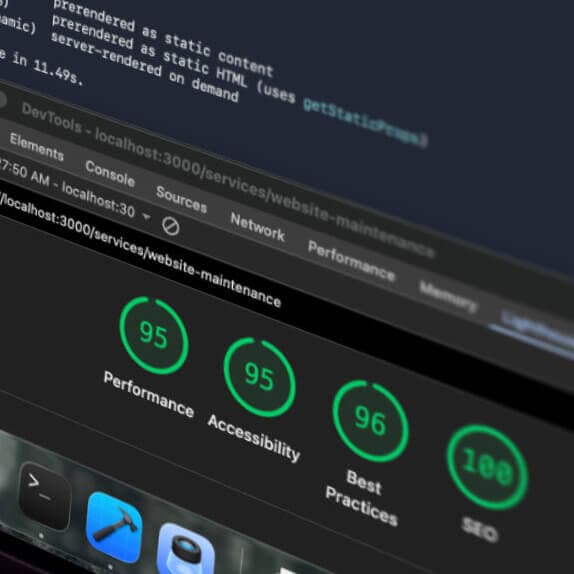
Free and paid themes in the official Shopify theme store have to pass Shopify’s speed and accessibility checks before they are listed. Your live Shopify store can still run slower than the theme’s demo once your photos, apps and changes are in.
- Large images. Big banners and product photos are the usual cause, most of all on a phone.
- Apps that add code. Many apps add code to the pages, so each one installed could add to the load.
- Code left behind. Some apps leave their code behind when removed, and it keeps slowing the store.
Check the online store on a phone once your real products are in.
Switching Themes Once Your Store Is Live
Store owners can switch themes at any time and preview the new one with their own products first, so a store using a free theme can move to a premium one later. The cost is the setup work, plus the price of the new theme.
What Stays Put
- Products and collections. They live in the Shopify admin, so the new Shopify theme shows the same catalogue and prices.
- Pages, menus and blog posts. Shopify leaves these untouched when you switch.
- The old theme. It moves to your drafts, ready to publish again if you change your mind.
What Has to Be Redone
- Layouts and settings. Templates, section settings, colours and fonts belong to each theme and are set up again.
- Wording in the theme. Banner text written in the theme editor stays with the old theme.
- App code. Code an app added to the old theme does not carry over, so the new theme may need each app set up again.
So, How Would You Choose the Best
Theme for Your Exact Store?
The best Shopify theme for your store is the one that shows your real products well on a phone and needs the fewest extras.
Start With a Free Theme
Preview two or three free Shopify themes with your own products. If one handles your catalogue, product pages and menus well, it may be all you need.
Try Premium Themes Where Free Ones Fall Short
List what the free themes did not handle well, such as menus, product page layouts or how collections are shown. Look for themes designed to fill that gap, and buy the one whose free trial proves it, because theme purchases are final.
Bring In a Developer for Setup or Custom Work
A developer can set a theme up properly, add the features it lacks or design the online store from scratch. We quote Shopify stores at a fixed price with a launch date, and tell you when a theme would do the job.
Get a Fixed Price for
Your Shopify Store
We scope your store on a free call, then quote a fixed price and a launch date for building it.
Book a Free Discovery Session